Engineer app
The whole job, in the engineer’s pocket.
Add it to the home screen once. Each job shows the boat, the steps and the office’s note. The engineer taps Set off, ticks the steps, logs what they find and hands in when it’s done. It keeps working when the signal drops.
Add it to the home screen. That’s the install.
There is nothing to download from a store. Open KeelSync Service in the phone’s browser, add it to the home screen, and it opens full screen like any other app.
You invite engineers by email, or put up the office join poster: they scan its QR code, set a password, and they’re in as an engineer.
- Sign in with a work email and a password of at least 8 characters
- The app asks to turn notifications on the first time they sign in
- Alerts: a new job, a changed job, a message from the office
iPhone
- Open KeelSync Service in Safari
- Tap Share
- Tap Add to Home Screen
Android
- Open KeelSync Service in Chrome
- Open the menu
- Tap Install app
See the day. Open the job.
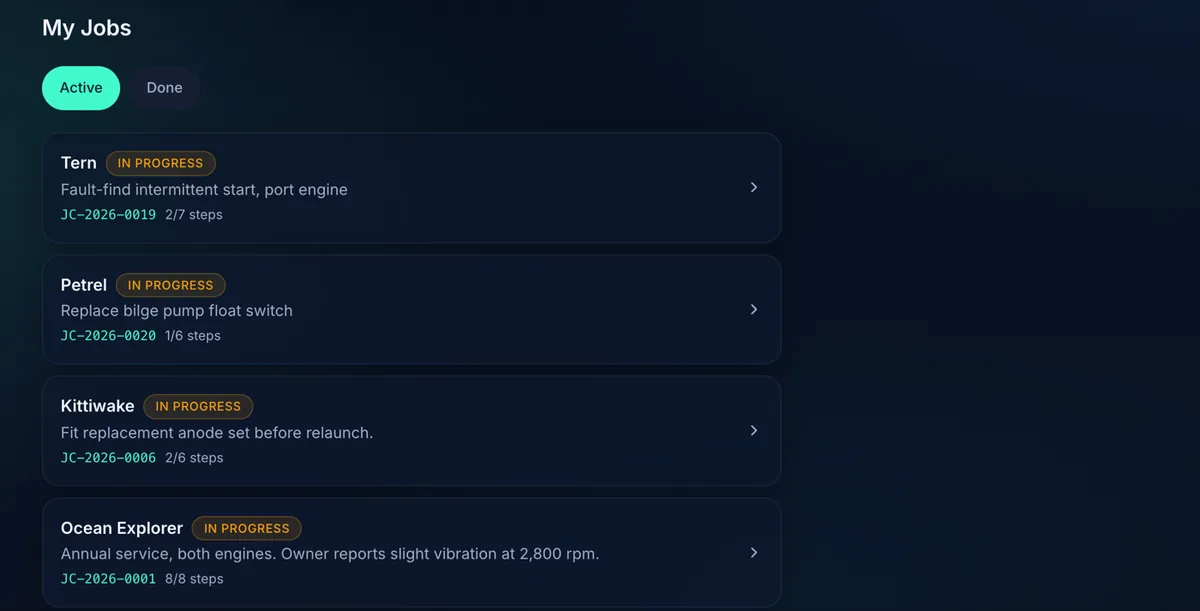
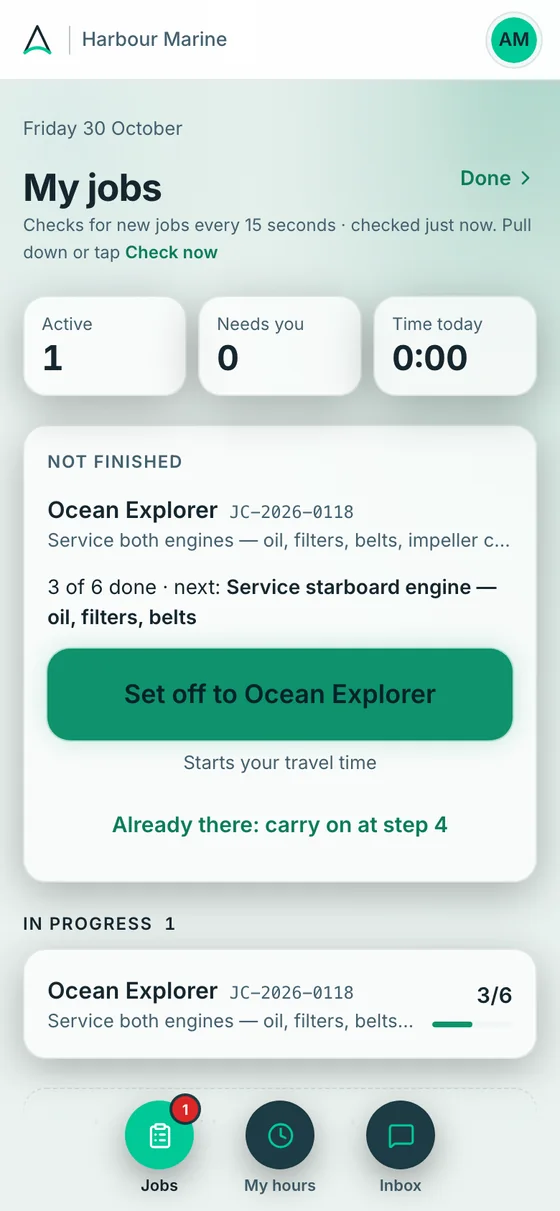
The Jobs screen checks for new jobs every 15 seconds. Each job shows the boat, what the work is, its number and how many steps are done. Pull down, or tap Check now.
Open one for the boat, the steps, what the owner said and the office’s note.
- Tiles for Active, Needs you and Time today
- The first tap is Set off, which starts the travel time
- Engineers see only the jobs they are on
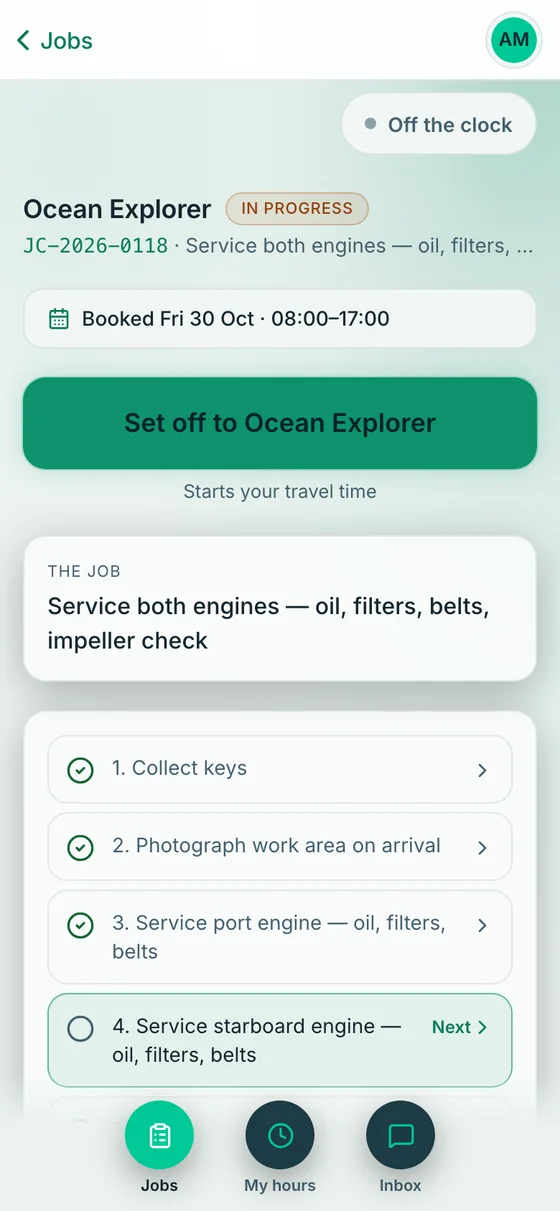
My jobs, and a job.
Set off. At the boat. Hand in.
Tap Set off when you leave: it starts the travel time. Tap I’m at the boat when you arrive. Handing the job in stamps Leaving the boat for you, and Back at the workshop is there if you head back.
Every tap saves the time on the phone. Pressed the wrong one? The latest stamp can be undone. Forgot? Set the time afterwards, up to six days back while the job is still out, and the office sees it marked “set afterwards”.
- Each time stamp keeps where the phone was at that moment: a company setting you can turn off. Nothing is tracked in between
- Time with no job card, like workshop or van time, goes in Log time and isn’t added to a job or to pay
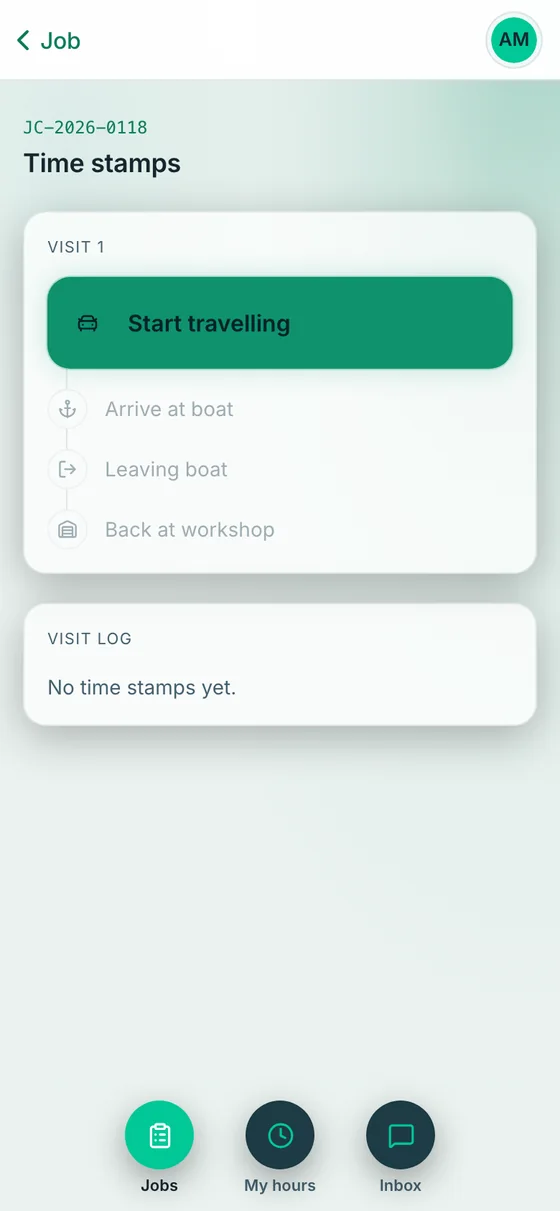
- 1Start travelling. The first stamp. It is Set off on the job screen.
- 2Arrive at the boat. Stops travel time and starts time on the boat.
- 3Leaving the boat. Stamped for you when you hand the job in.
- 4Back at the workshop. For the way home.
The time stamps for a visit, as they look on the phone.
Tick it. Photograph it. Film it.
Each step is one tap: Done, next step. If it can’t be done, Can’t do it asks why, with quick reasons like Part not on the van. Add photos from the camera or the library, and film a short clip for the stage if you want to.
Used a part? I used a part takes a part number, a quantity and a description. Engineers never see a price.
- Something else on any step: I used a part, I found a problem, I’m stuck, Message the office, or Add a step
- Photos can be captioned
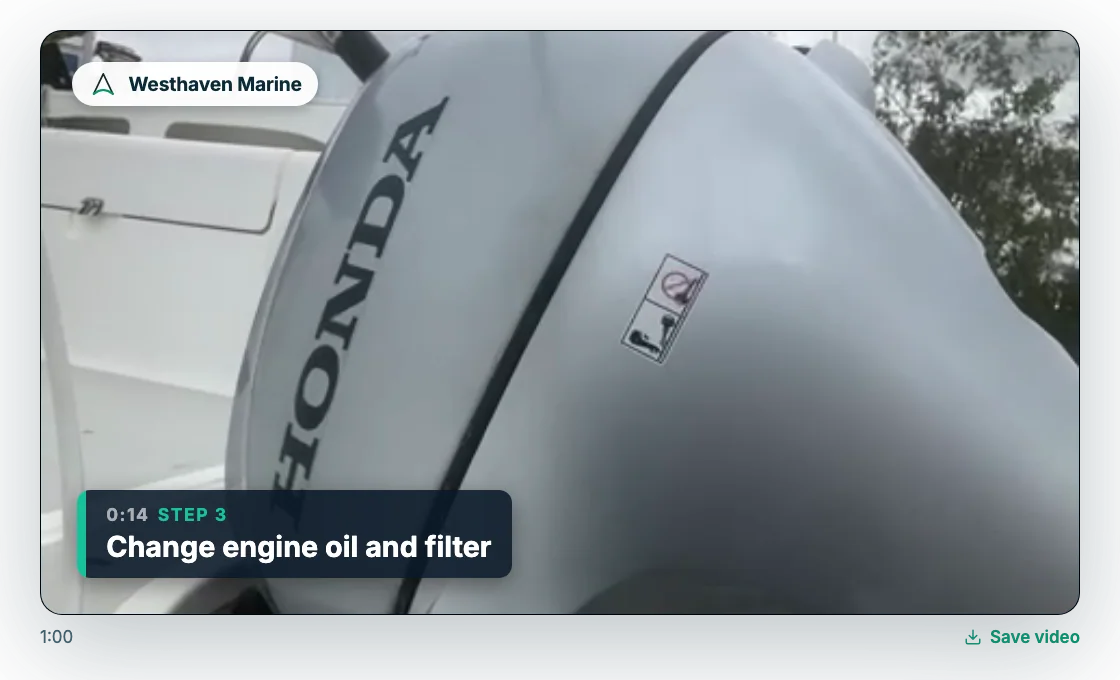
- Film this stage is optional, and the app suggests under a minute
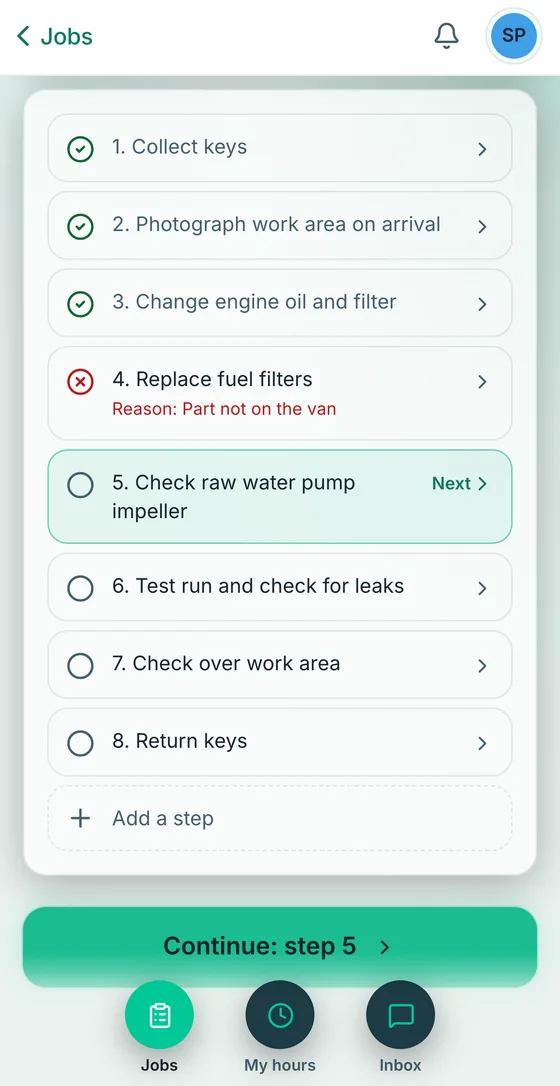
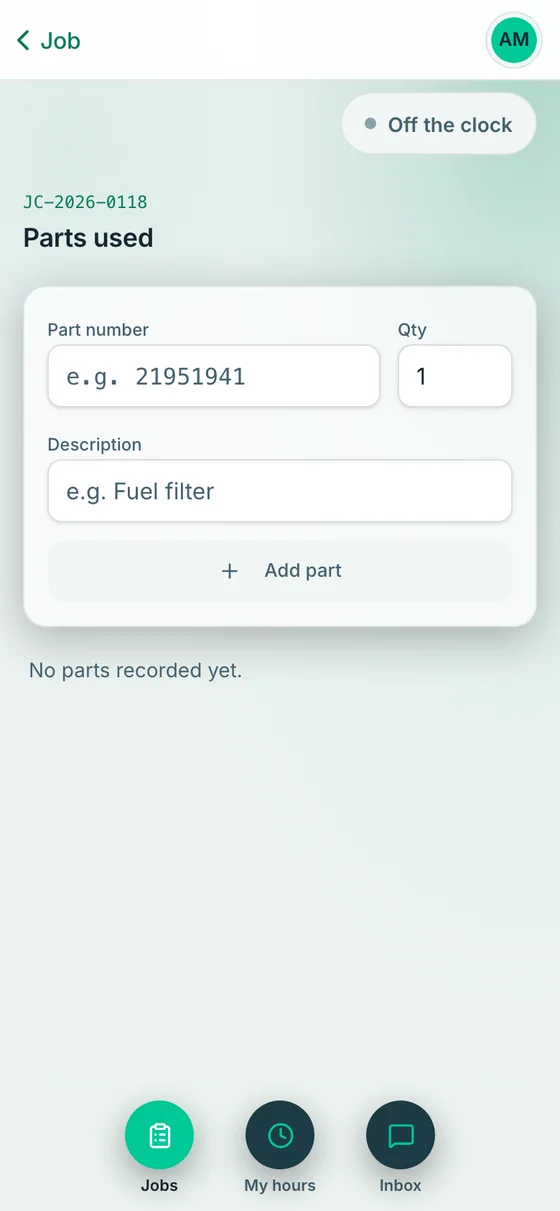
Steps with a reason, and logging a part.
Found something? Stuck? Say so.
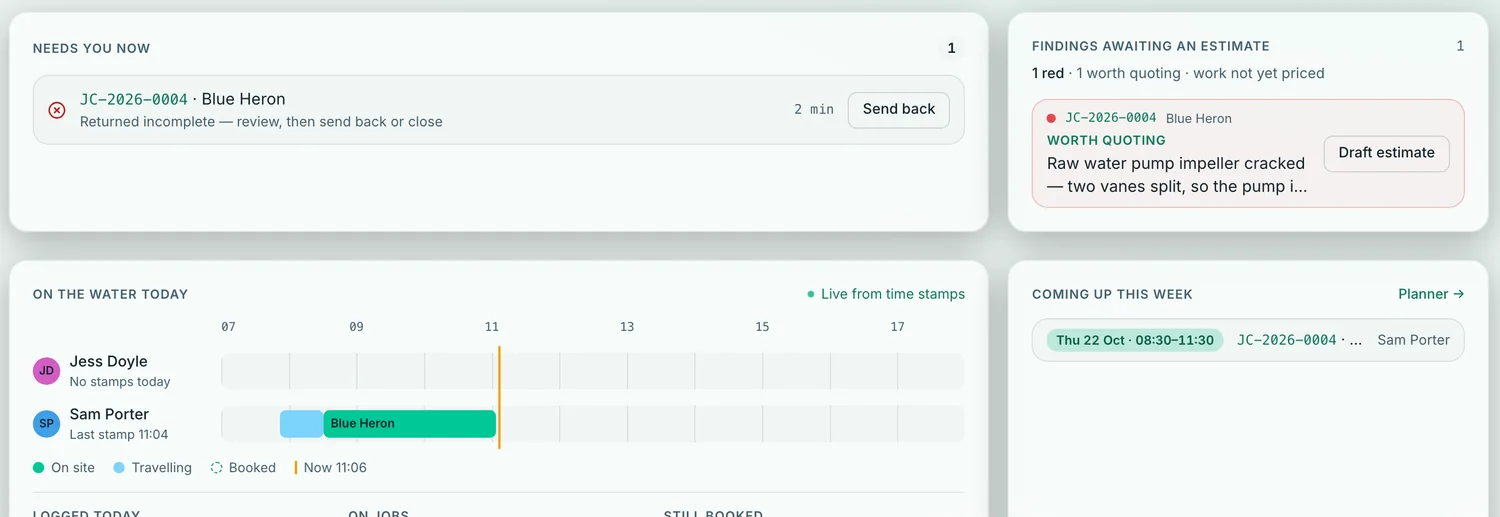
Spotted something that wasn’t on the job list? Log it as a finding: red, amber or green by how soon it needs booking in, what you found written as the owner should read it, and photos. Tick Worth quoting and the office prices it for the owner.
Stuck? Tap Get help from the office, say what’s stopped and what you need, and tap Alert the office. A banner lands on their dashboard, and they can get an email too.
- Findings show on the owner’s copy of the report exactly as written
- Chat with the office from the job, or in the Inbox
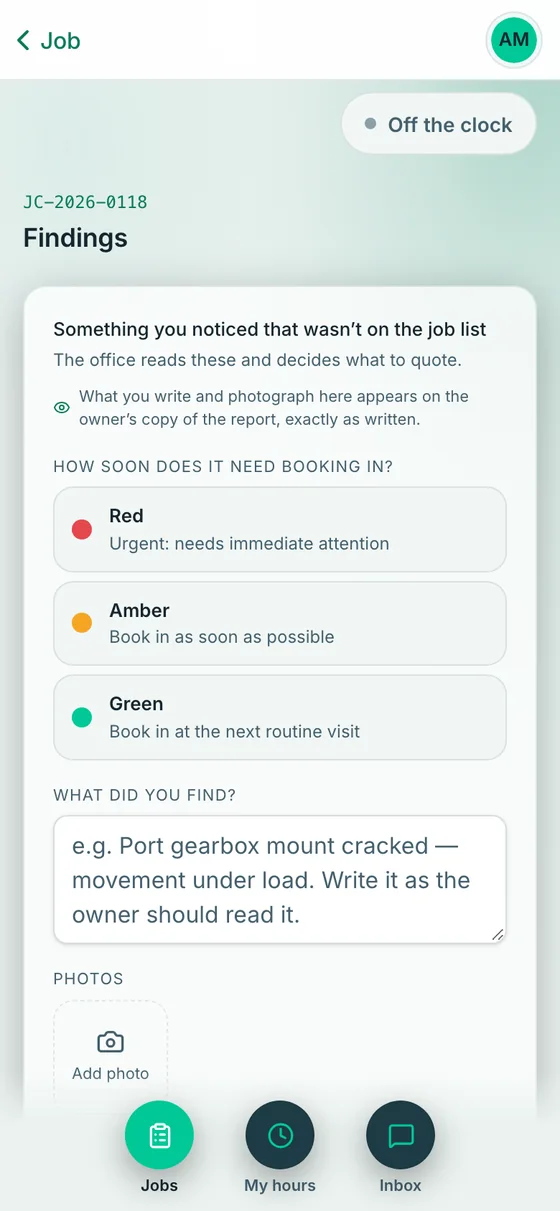
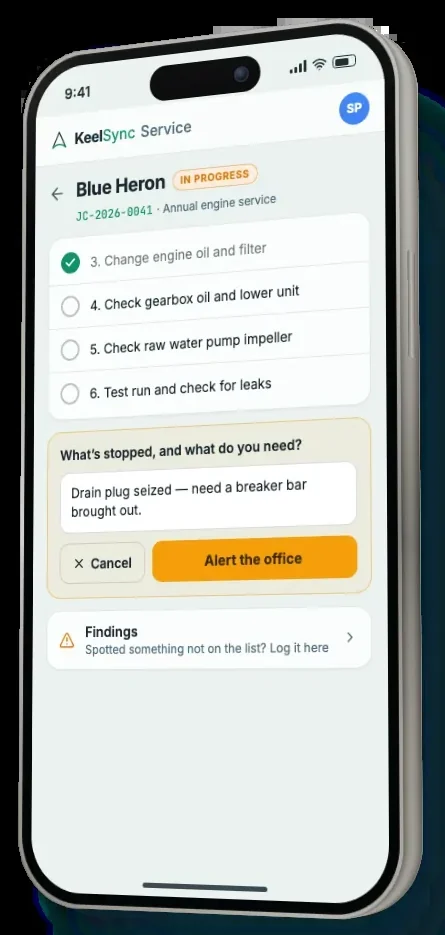
Logging a finding, and asking the office for help.
No signal on the pontoon?
Once a job is open on the phone, the engineer keeps working. Ticks, notes, parts, photos, findings, film clips and time stamps are saved on the phone and sent when the signal is back.
A few things need a signal because they go to the office or to someone else. If the app has been closed, open the job while you have signal and it keeps working if the signal goes.
- A new job needs a signal to reach the phone
- Opens with no signal is an extra setting KeelSync switches on for your company. With it, the app also opens with no signal, with your current jobs already saved on the phone
Saved on the phone, sent later
Once the job is open on the phone.
- Ticks, and crosses with a reason
- Notes and comments on a step
- Parts used
- Photos
- Findings, with their photos
- Film clips
- Time stamps
Needs a signal
Because they go to the office or to someone else.
- Handing the job in
- Previewing the customer’s report
- Sign-off on board
- Chat messages
- Get help from the office
- Adding, renaming or removing steps
- Removing a photo, clip or sent stamp
Hand in, and check your hours.
When every step is ticked or crossed, Hand in sends the job to the office. First the app asks: did you use any parts, is anything else wrong on the boat, and a short summary that goes on the customer’s report. You can preview the report before you hand in.
My hours shows the month: the time recorded from your stamps, plus time you logged. It shows durations only, never money: what you are paid is worked out by the office.
- Sign-off on board, if your company offers it: the owner signs on the engineer’s phone
- If the office sends the job back, it goes to the top of My jobs
- Engineers see the customer’s name, not their phone or email
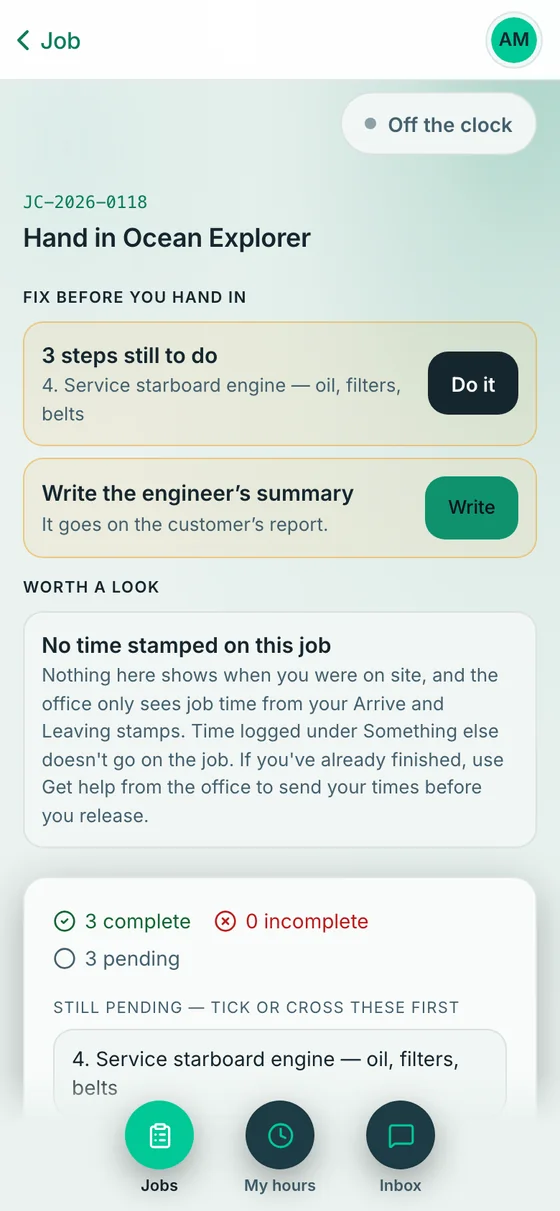
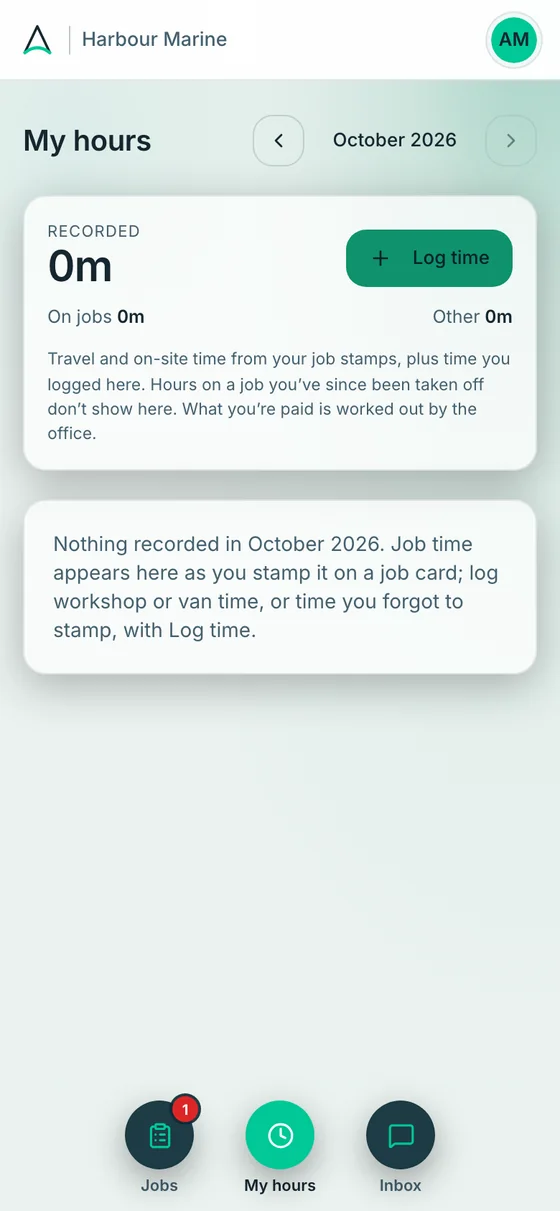
Handing a job in, and My hours.
The engineer’s day, then and now.
Knowing the job
Losing signal on the pontoon
Telling the office something’s wrong
Questions about the engineer app
Do my engineers need an app store?
No. KeelSync Service isn’t an app-store app. They open it in the phone’s browser and add it to the home screen. On an iPhone that is Safari, Share, Add to Home Screen. On Android it is Chrome, the menu, Install app.
Will the engineer’s app still work with no phone signal?
Yes, once the job is open on the phone. Ticks, notes, parts, photos, film clips and time stamps are saved on the phone and sent when the signal is back, so the engineer keeps working. Handing in, chat, asking for help and changing the list of steps need a signal.
What needs a signal, and what works without one?
Once a job is open on the phone, ticks, notes, parts, photos, film clips and time stamps save on the phone and send later. A new job needs a signal to reach the phone, and so do handing in, chat, asking for help, sign-off on board and changing the list of steps.
Can engineers see prices or other engineers’ jobs?
No. Engineers see only the jobs they are on, with the crew’s names. They see the customer’s name, not their phone or email, and never a price, a pay rate or an estimate.
Does it track where my engineers are?
Each time stamp keeps where the phone was at that moment. That is a company setting, and you can turn it off. Nothing is tracked in between.
Which languages does it come in?
The app is in English.
Does my engineer have to edit or upload videos?
No. The engineer films a short clip at each stage, on the phone, while they work. The clips upload by themselves, and the office joins them into one film, so there is nothing to edit and nothing to write up.
How long can a video be, and does storage cost extra?
Each video can be up to two minutes. Storage is included in the price, with no fair-use rule. Videos, including the finished film, are kept for 24 months after you send the report, then deleted. The job record, written report and photos stay.
How do engineers' hours get to payroll without timesheets?
The engineer taps Set off and I’m at the boat, and handing the job in stamps leaving. KeelSync Service works out travel, time on site, regular hours and overtime from those stamps and the rules you set, and gives you a payroll PDF and CSV files. It adds up hours; it isn’t a payroll system.
Does KeelSync Service keep track of parts?
Engineers log the parts used on each job as they go, and the parts show on the customer’s report. It records what was used on each job; it doesn’t count what you have on the shelf.
Put it on their phone. Start your first job.
Two months free, no card. Setup included. Sign up with your work email and the app walks you through your company, your team and your first job.